A downloadable game for Windows

Download NowName your own price

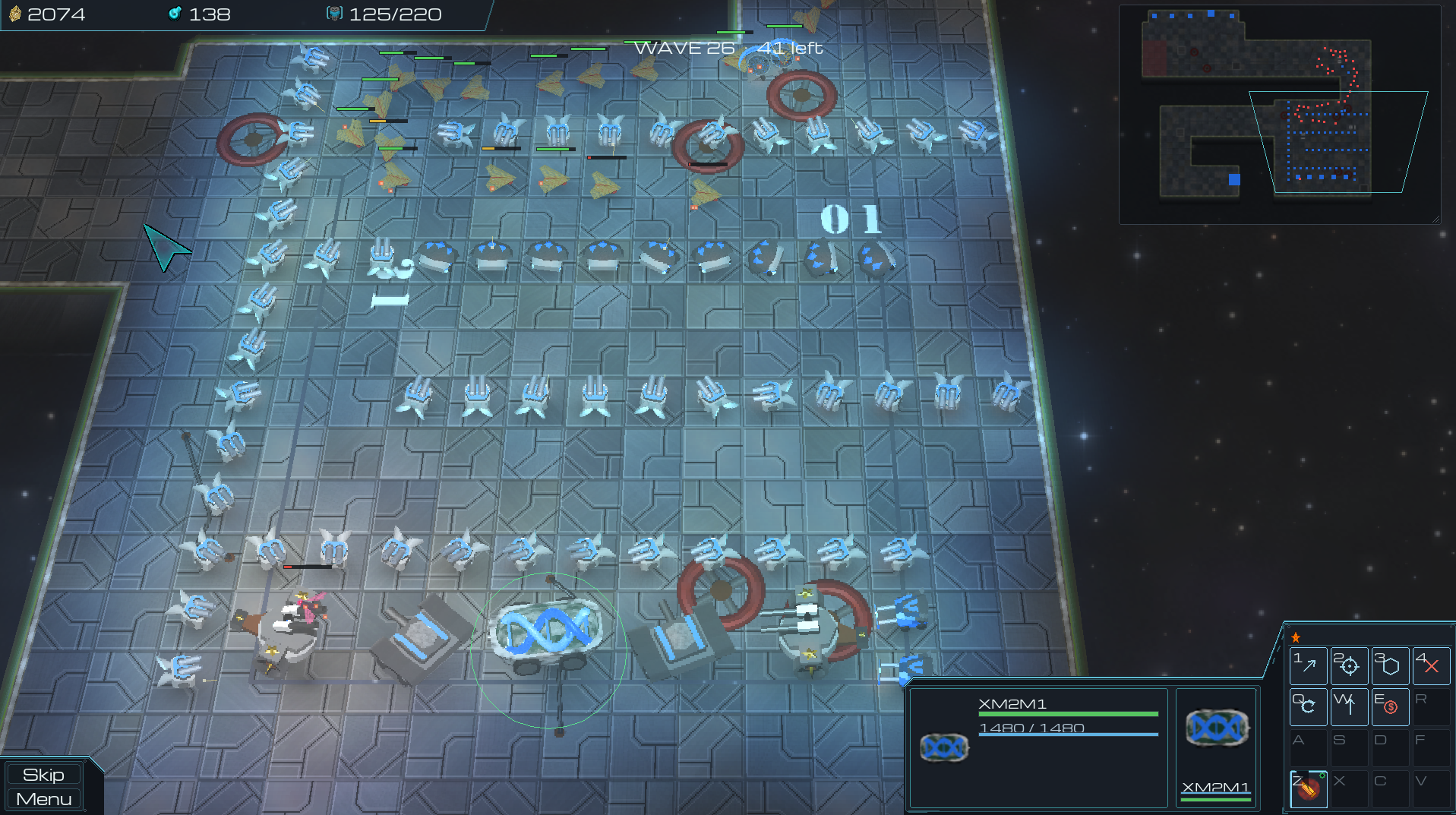
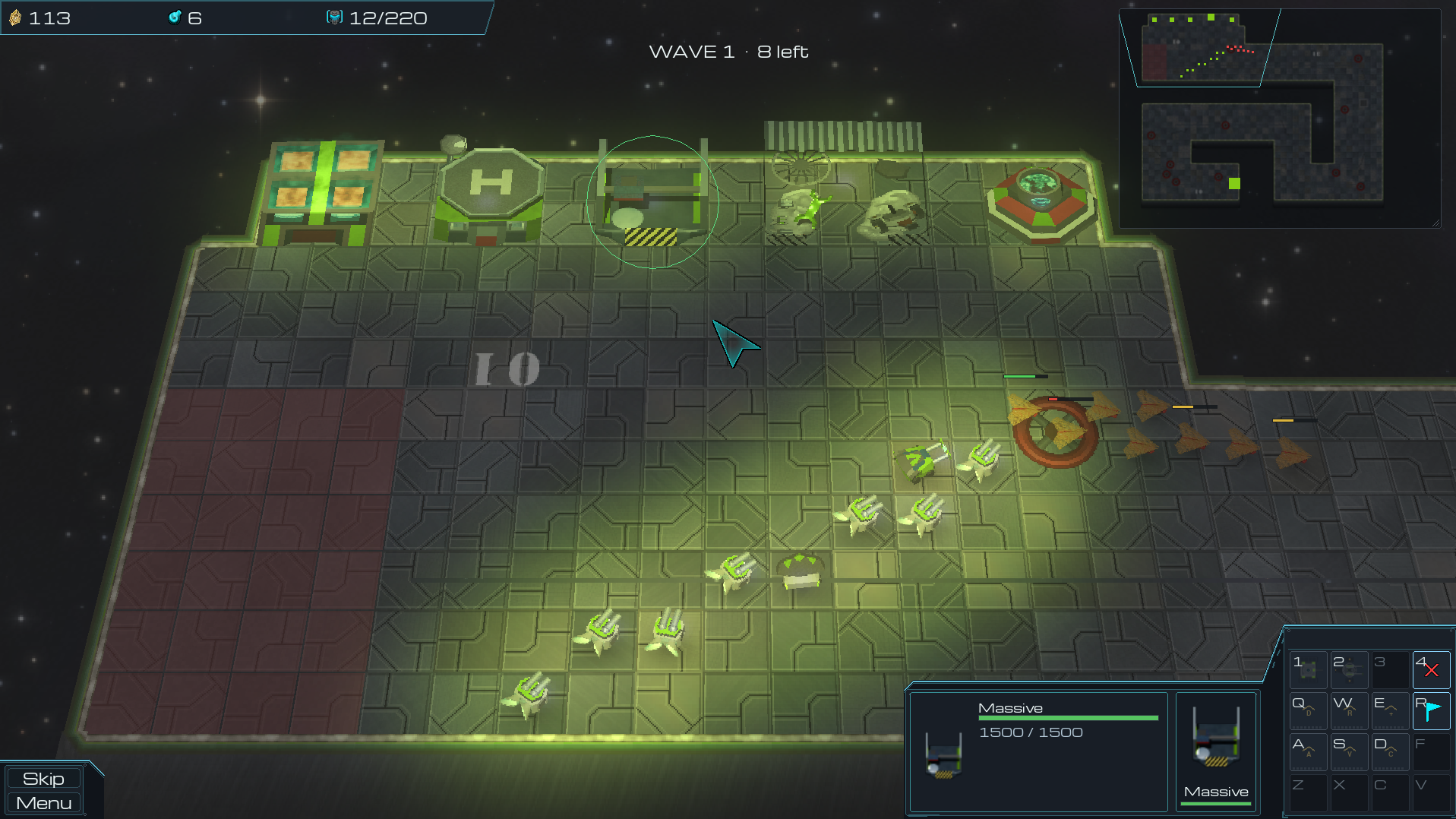
Welcome to the void, Commander. If you grew up grinding the gritty, high-contrast custom maps of late-90s real-time strategy games, you are right at home.

The Mission

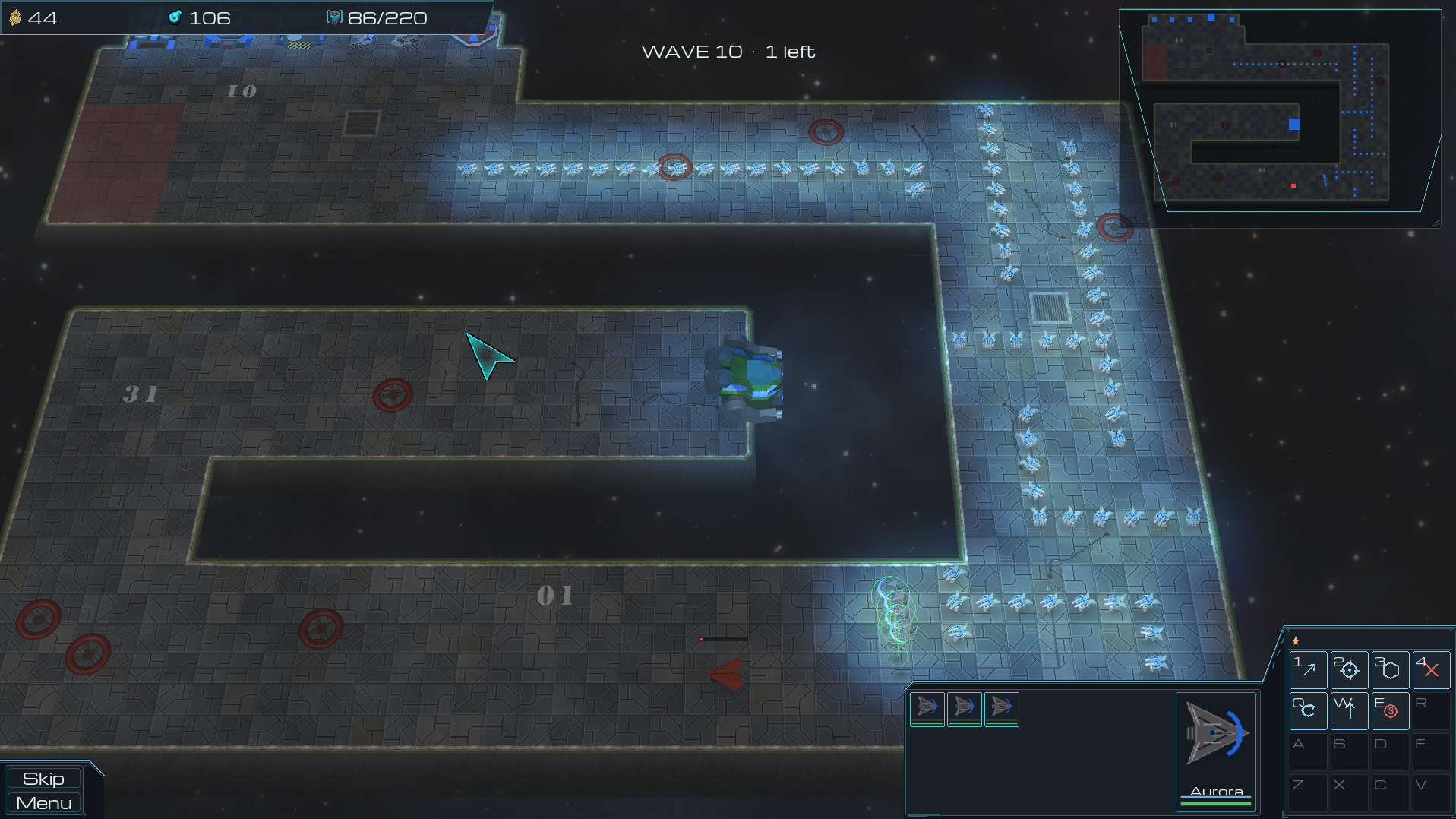
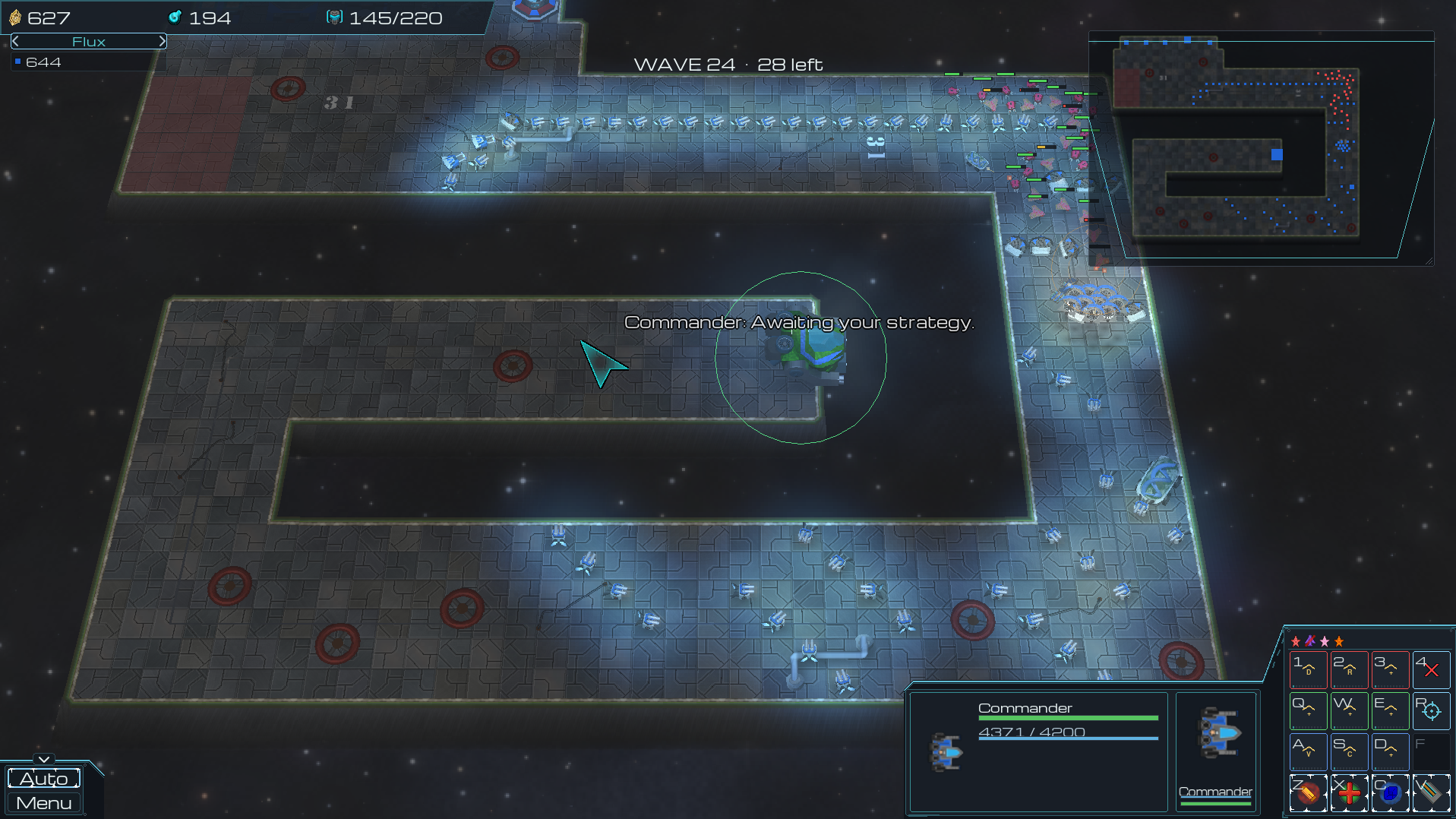
Lead your units in a tactical battle to defend your central Commander from escalating enemy assaults. Use strategic unit placement and hold your ground to maze your foes and control the engagement.

Building solid walls will trigger the horde to aggro and tear down your defenses.

Tactical Depth

  • Classic RTS Tactical Grit: A top-down, unit-based Tower Defense game that captures the high-contrast, tactical grit of classic RTS custom maps.
  • Grid-Locked Defense: Construct your mazes using mobile units with distinct stats, have them hold their position to control the attacking hordes or control them across the battlefield.
  • Macro Economy: Juggle resource management and economy upgrades under pressure to continuously reinforce your army and sustain your defenses against the growing threat.
  • Gene Splicing: Combine identical units to synthesize advanced variants, gaining access to unique abilities and passive traits necessary for late-game survival.
  • Responsive AI Targeting: True to old-school mechanics, units possess no complex targeting priority menus; they will automatically acquire and attack the closest valid target within their firing radius.

The Nightmare

Should you endure until Wave 50, the true nightmare begins.

No one lives forever -- how long will you survive?

Learn More
Roadmap

Features

The Game

Real-time strategy with a tower defence inside it — command a living army, not a row of turrets
Your defence IS your maze: where you park your units is where the enemy has to walk
A Commander fortress that fights, upgrades, and unlocks its own battlefield abilities
Seven buildable units across three vendors, built around a counter web that punishes massing one thing
Fuse units at the Scrap Yard into stronger hybrids that inherit what their parents could do
Two currencies pulling in different directions, and a supply cap that makes every body a choice
Waves that ramp from a warm-up to a boss gauntlet

Multiplayer

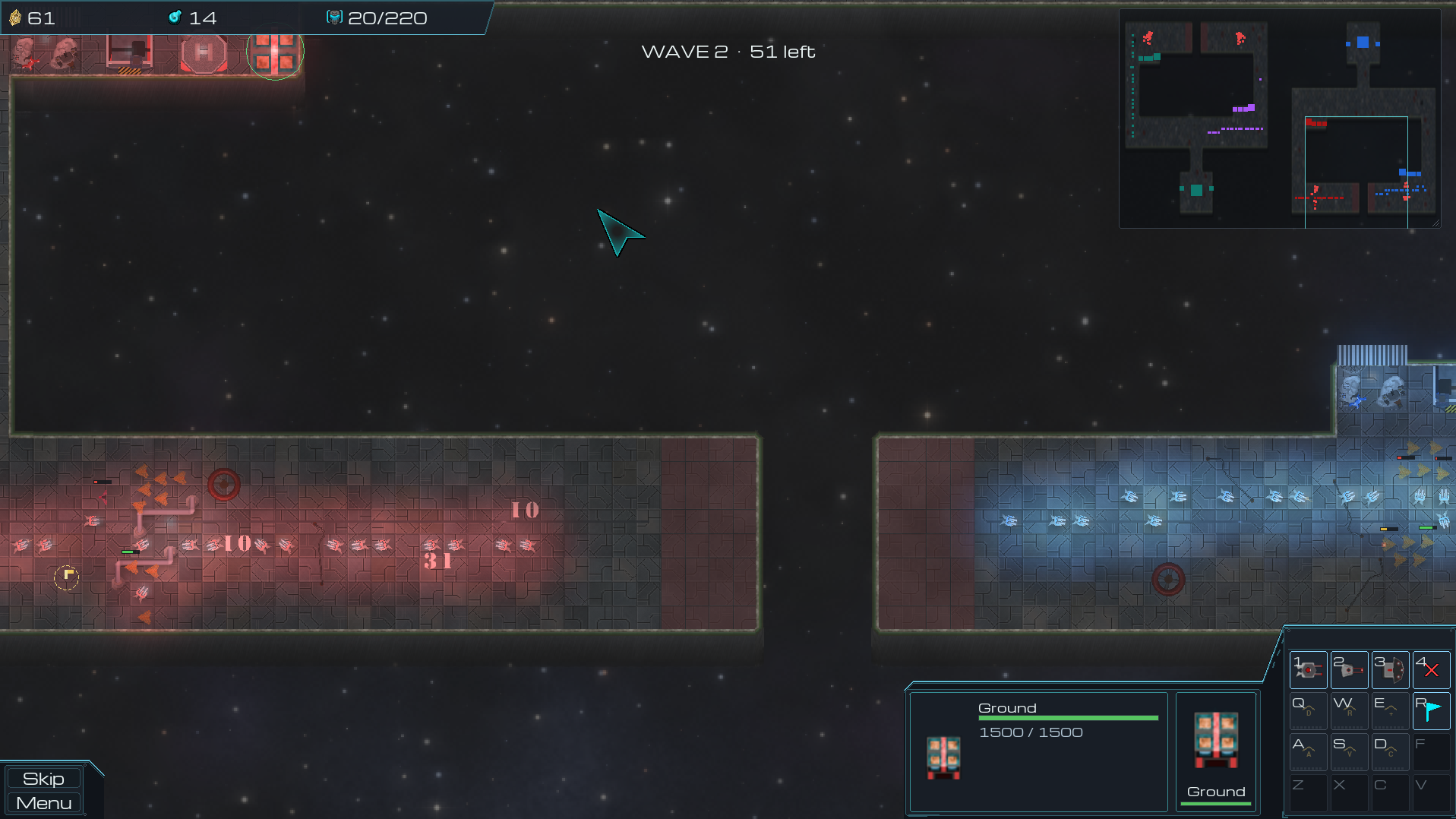
Co-op against the horde, or Versus against each other — up to eight commanders
Team play in two shapes: one shared arena, or a lane each feeding one shared Commander
Send units from your own roster into a rival's next wave
Host on your network, join by discovery or by address, or drop into a community server's game list
Lockstep netcode — every machine runs the real match, so there is no server to lag behind
Live map preview in the lobby: the board you are looking at is the board you will play
Save the boards you liked and bring them to your next room
Verified accounts, seasonal ladders and career statistics on dedicated servers 
(*Dedicated servers are currently self hosted and available to backers only)

Presentation

Hand-authored 16-direction sprite banks with per-unit lighting and normal-mapped reflections
Three camera looks: flat top-down, upright sprites, or a fully tilted board
Dynamic lights, death blasts and a live starfield
Voiced units and buildings with positional audio
Procedurally generated boards in a family of styles, or a handful of presets from tiny to enormous

Accessibility

Fully configurable keybinding, two bindings per action
Left-handed support — one switch, applied everywhere
Colour vision preferences, with player numbers on the colour chips
Spoken-line captions, including off-screen speakers
Camera sensitivity, per-axis inversion and optional edge panning
A movable, resizable, fadeable minimap
Every graphics feature toggles independently
Welcome, Commander

PositionalTD is a real-time strategy game with a tower defence inside it. You buy an army, park it where the enemy has to walk, and command it while the waves roll in.

Your Commander is a fortress standing at the end of the lane. It never moves, it shoots back, and if it falls the match is over.

Everything below is optional reading — the game teaches itself as you play. Open a section when you want the detail.
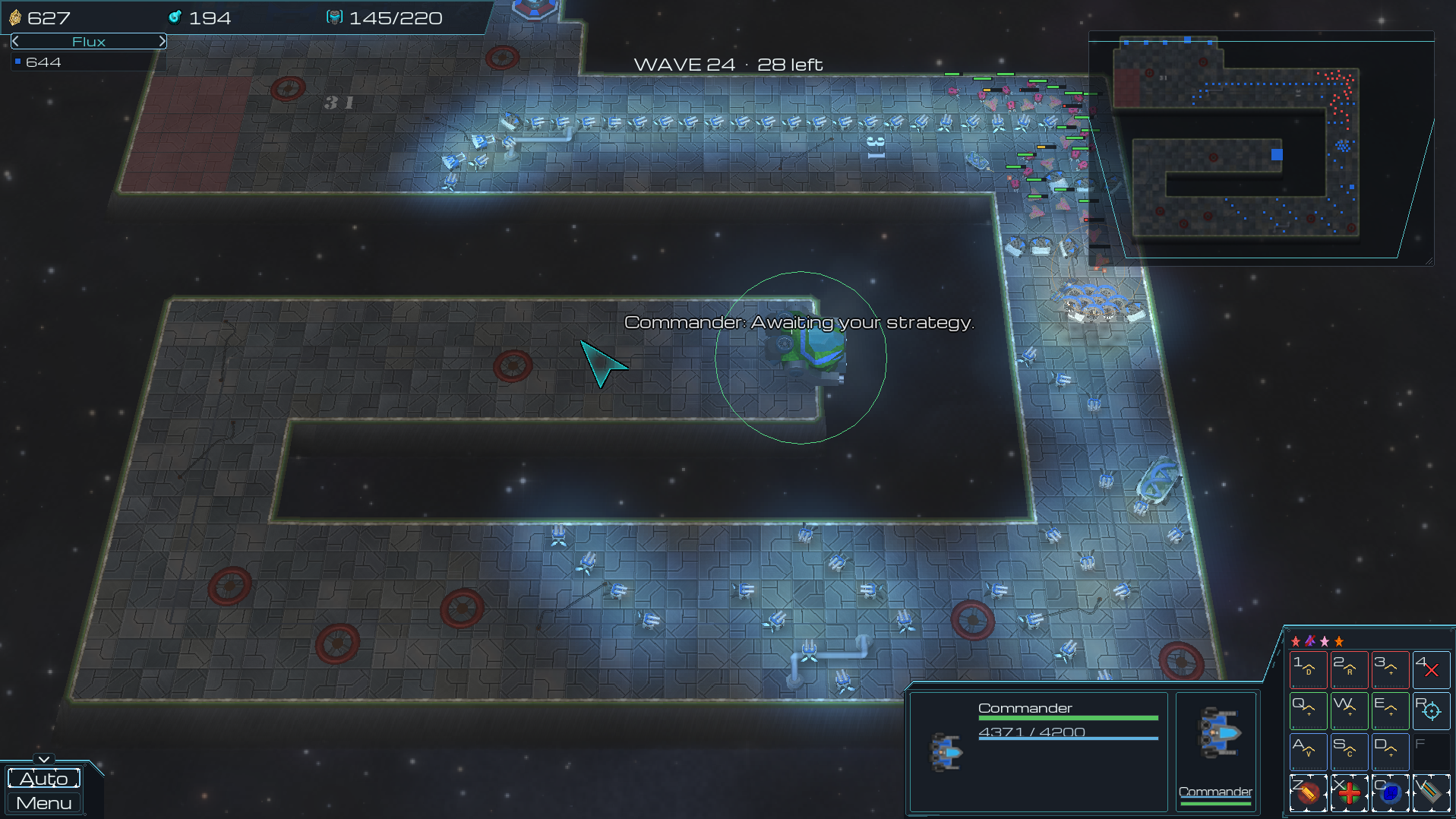
Resources across the top, the floating minimap, and the command deck along the bottom.
Your First Match
Vendor buildings sit beside your lane. Select one and buy units from its command card.
New units walk to that building's rally point — select the building and RMB the map to move it.
Units fight on their own the moment something comes into range. You never have to tell them to shoot.
A wave arrives when the countdown ends. Survive it, spend what it paid you, and get ready for a bigger one.
Hover anything on screen for a full breakdown — price, effect, and why a button is dark when it is.
Moving the Camera
Pan with W or UP / A or LEFT / S or DOWN / D or RIGHT.
Push the pointer against a screen edge to scroll. Turn that off under Settings › Mouse if it gets in your way.
Hold the middle mouse button and drag to grab the map and slide it.
The mouse wheel zooms in and out.
While units are selected the movement keys drive the command card instead — hold Ctrl to pan anyway, or use the arrow keys, which always pan.
SPACE shows you what matters: a fight in progress first, then your selection, and if neither needs you it votes to skip the countdown.
Selecting Your Army
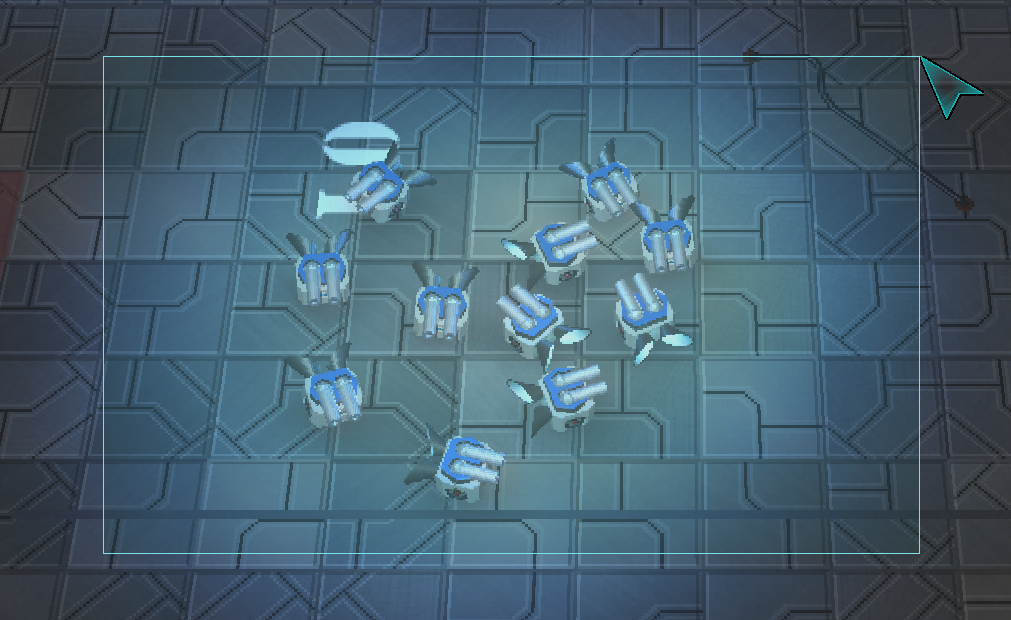
LMB a unit to select it, or drag a box to take everything inside it.
Double-click a unit to select every unit of that type on screen.
Hold Shift while clicking or box-dragging to add to the selection — or to drop something out of it.
LMB a building to select it and open its shop.
TAB steps a mixed selection through its unit types, so the card shows the one you meant.
Click another player's unit, or a wave attacker, to inspect it. You see its numbers; you give it no orders.
ESCAPE clears the selection.
Drag a box to sweep up a group…
…or double-click one body to take the whole type.
Giving Orders
RMB on the ground moves there. RMB on an enemy locks onto it and chases.
Hold Shift as you give an order to queue it behind the current one.
Hold Alt to march straight through — the group only answers units that shoot at it.
Hold Position anchors a unit where it stands. Ground units holding position block the lane (see Building the Maze).
Patrol walks a route and breaks off to fight anything it meets. Shift+click chains waypoints, and clicking the first one again closes the loop.
DELETE or BACKSPACE salvages the selection for half its cost back, in both currencies.

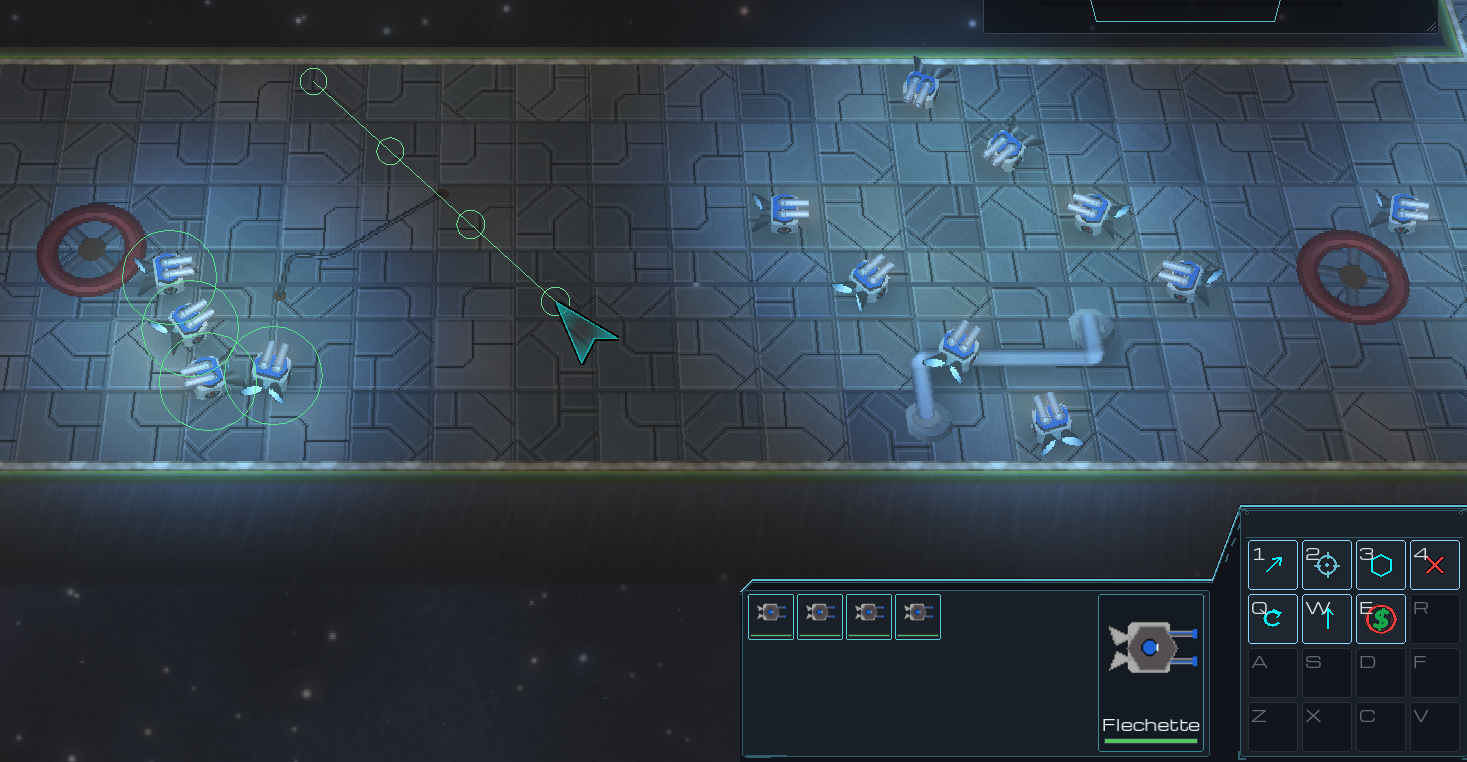
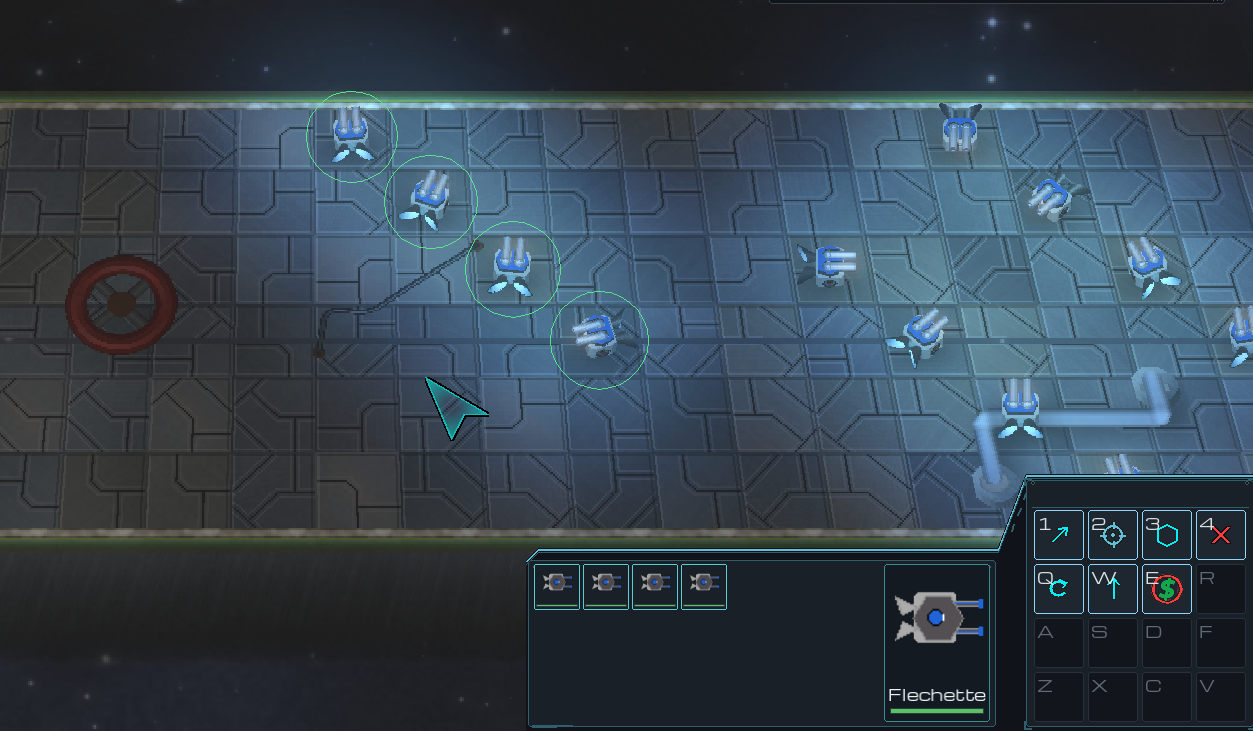
Drag with RMB instead of clicking and the selection spreads into a line along the drag, in the order they already stand — so nobody crosses anybody.
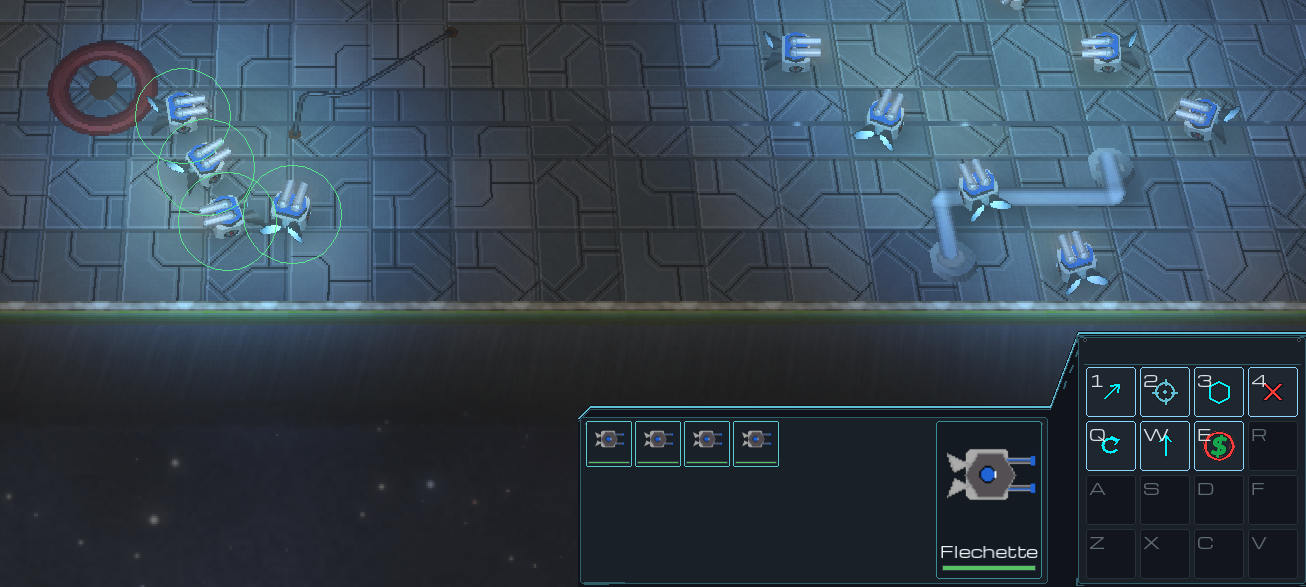
A group selected, bunched up.

Hold RMB and drag a line.
They spread along it and face out.
Control Groups
Hold Ctrl and press F1 … F10 to store the current selection.
Press the key on its own to recall that group.
Press it again while the group is already selected and the camera snaps to it — so recalling a group you can't see never yanks the view off the fight you're watching.
Groups also appear as buttons above the command deck once they have members.
A group can hold units and buildings together.
The Command Card

Everything the current selection can do is a button on the 4x4 card at the bottom right, keyed 1 2 3 4 / Q W E R / A S D F / Z X C V. Every button prints its own key in the corner, so a rebind re-labels the card.
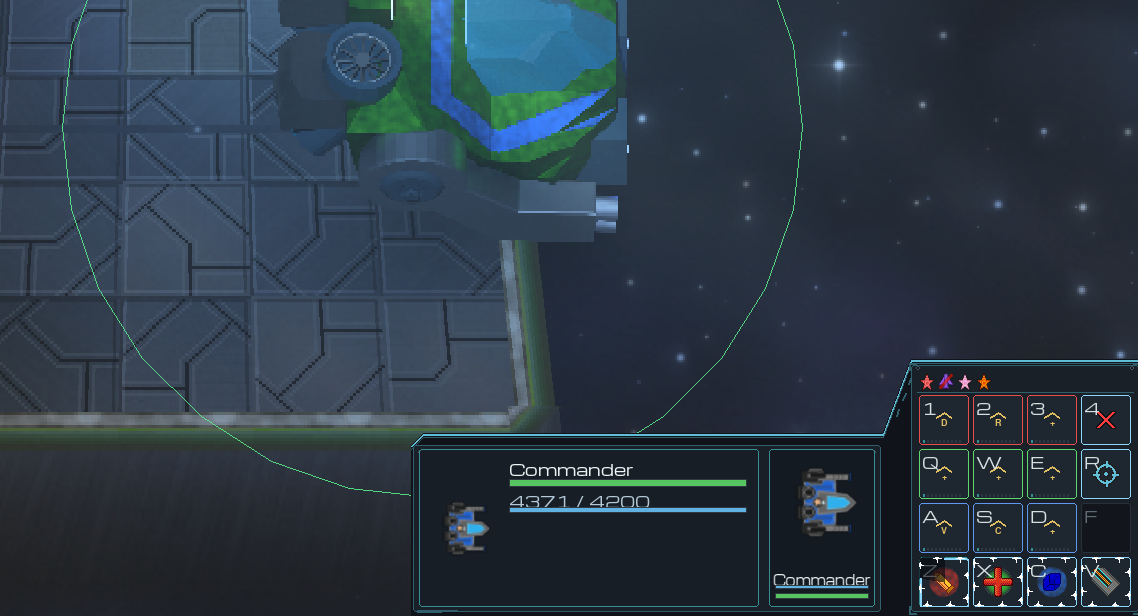
Slot 4 is always Cancel, on everything.
The bottom row holds active abilities.
RMB an ability button to toggle its auto-cast.
Small icons above the card are passive perks — always on, nothing to press.
The 4x4 card and its hotkeys.
Money, Supply and Salvage
Synaptic Shards come from kills and finished waves. They buy most units and every Commander upgrade.
Flux Reactant is the rare one. It gates the heavy units and the roster upgrades.
Commander Authority is your supply. Every unit standing in the field takes some of it; salvage one and you get it back.
The Flux Reactant Rig trickles Flux out on a cycle. Select it to buy more output or a faster cycle, paid for in Shards.
Selling refunds half of what you paid, in both currencies — redrawing your defence is meant to be affordable.
In co-op you each earn from your own kills, and share the upgrades.
Building the Maze

Attackers walk toward your Commander by the shortest route they can find. Ground units holding position stand in that route — so where you park them is where the lane goes.

Never seal it completely. If there is genuinely no way through, the wave stops walking and starts tearing down whatever is in front of it.
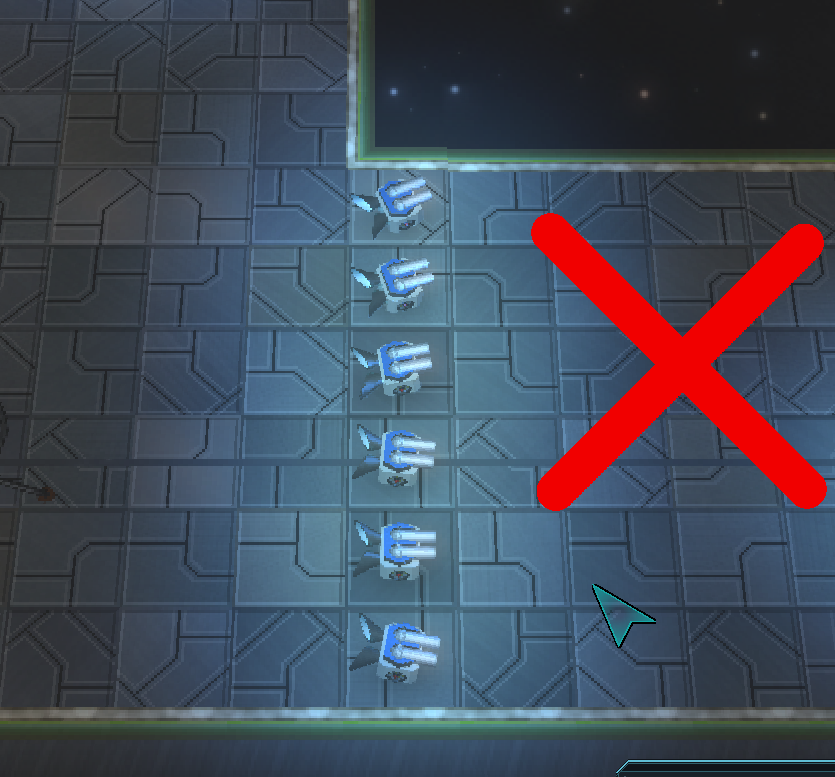
Sealed off: nothing can get past, so the wave turns on your wall instead.
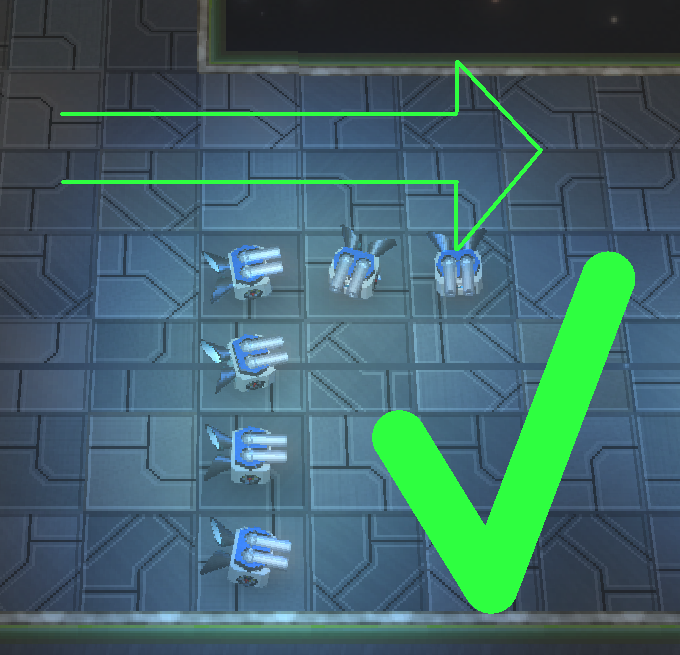
One way left open: they take the long road, right down the length of your guns.
Flyers ignore all of it. Keep anti-air along the whole route, not just at the door.
Selling a unit re-opens its tile at once, so you can redraw the route mid-wave.
Big attackers look for a wide route and only squeeze through a narrow gap when there is nothing else left.
Upgrades and the Commander
Each vendor building sells upgrades for the units it stocks: damage, rate of fire, hull, armour, recovery and cooldown.
An upgrade applies to every matching unit you own — the ones already built and the ones you buy later.
Your Commander has a shop of its own, on its own card: nine tracks in three coloured rows.
Buy one level of all three tracks in a row and that row unlocks an ability for the fortress.
Finish all nine and the Commander stops trading with bosses and starts deleting them.
Abilities and Auto-Cast
Active abilities sit on the bottom row of the command card.
LMB one to aim it, then click the target. RMB or ESCAPE backs out.
RMB the button to toggle auto-cast — the unit then fires it whenever the moment is right.
Passive perks need no button at all; they show as icons above the card and are always on.
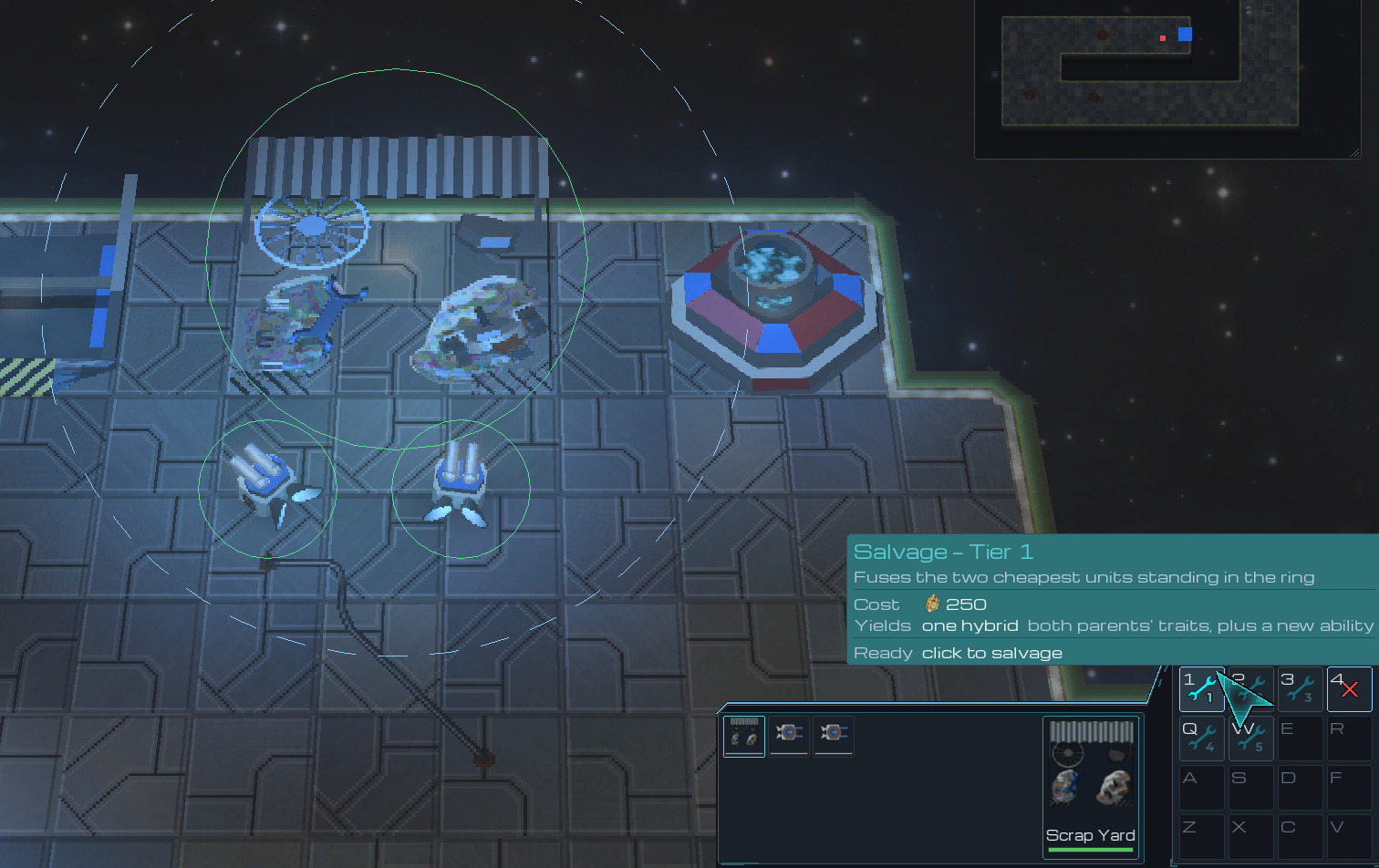
The Scrap Yard
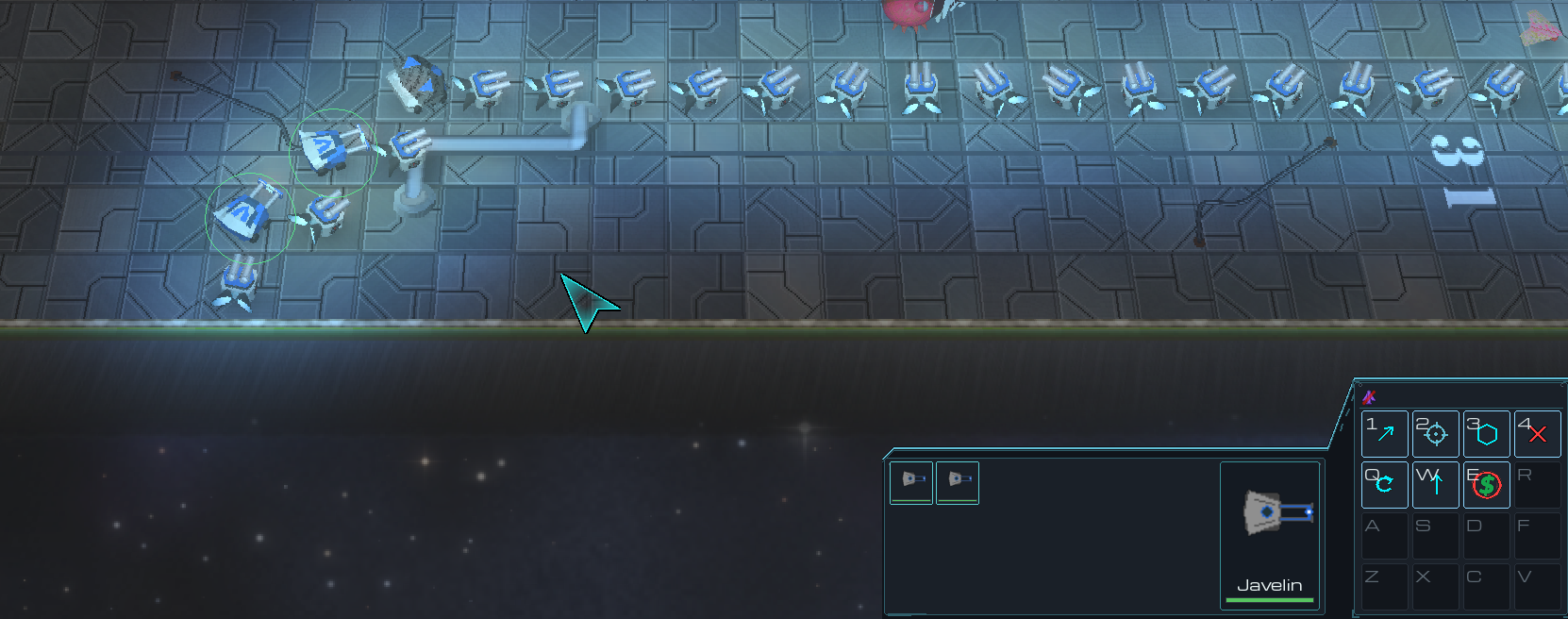
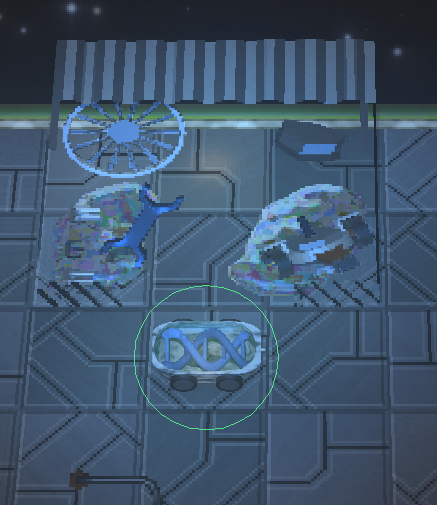
Park units on the Scrap Yard's apron. Its card will fuse the two cheapest of them into one stronger body.
The ring drawn on the ground while the yard is selected shows exactly what it can reach.
A fused unit keeps its parents' perks, and can be fused again with another of its own rank.
It costs Shards on top of the two bodies, so a fusion is a decision rather than a habit.
Two units standing on the apron.
One stronger body walks off it.
Waves and the Countdown
A countdown runs between waves. The first one is longer — it's your build phase.
Skip it with the Skip button, or SPACE when nothing else needs your attention.
Skipping pays you the Flux you would have earned waiting, plus a bonus. It is a reward, not a gamble.
RMB the Skip button to leave auto-skip on, so every countdown is skipped for you.
In multiplayer a skip needs everybody to agree.
Anything that reaches your Commander lays into it. It heals between waves, but it does not heal forever.
The Minimap

The minimap floats over the map, and it is yours to arrange — move it, resize it, fade it, or strip it back to blips.
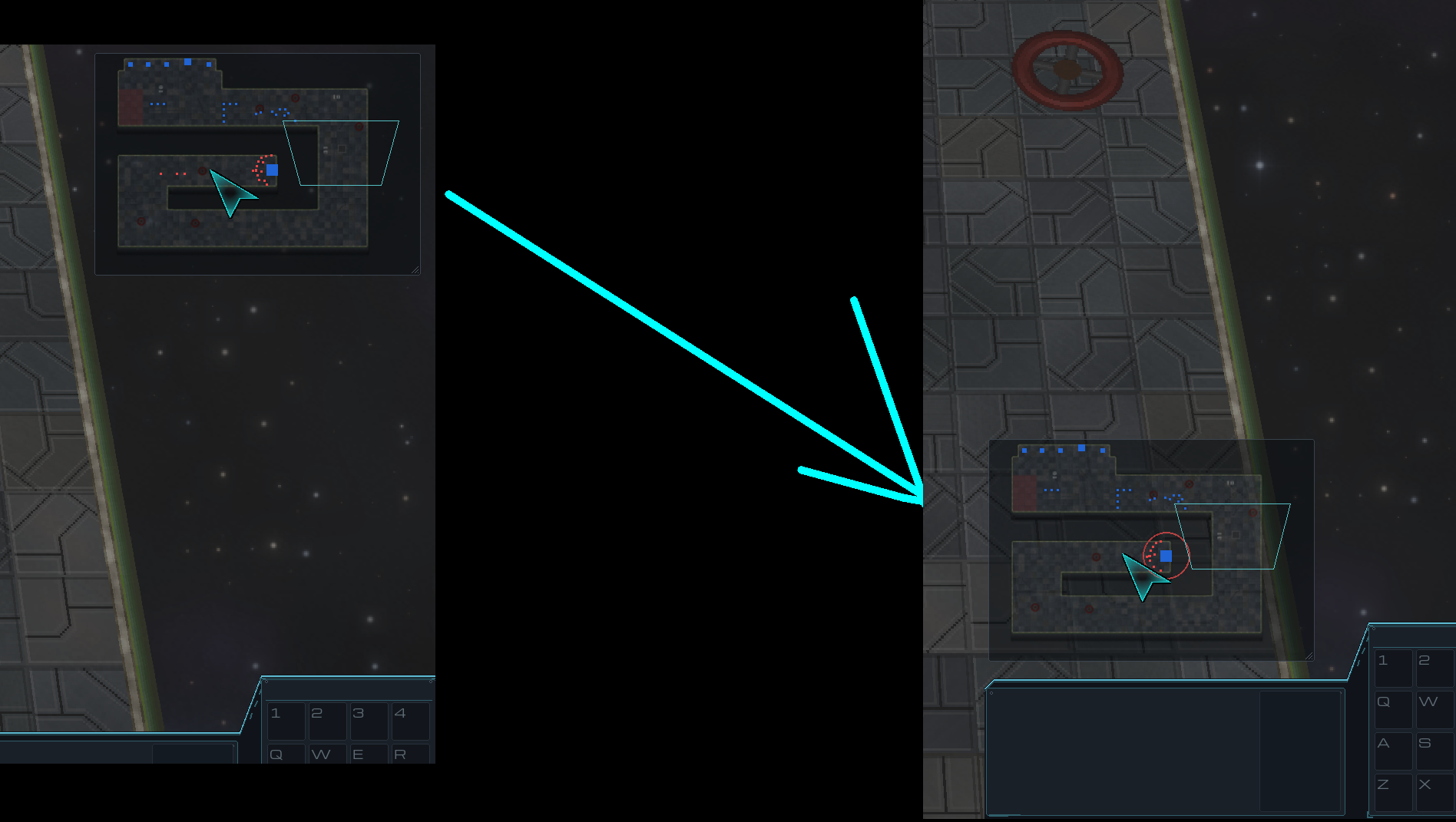
LMB jumps the camera there. Hold and drag to scrub the view across the board.
RMB gives the same order the map would, anywhere on the board — including where you can't see.
RMB-drag spreads a line formation, exactly as it does on the map itself.
Ctrl+RMB pings your team.
With an order already armed, LMB sends it to that spot instead of moving the camera.
Alt+drag anywhere on it to move the panel.
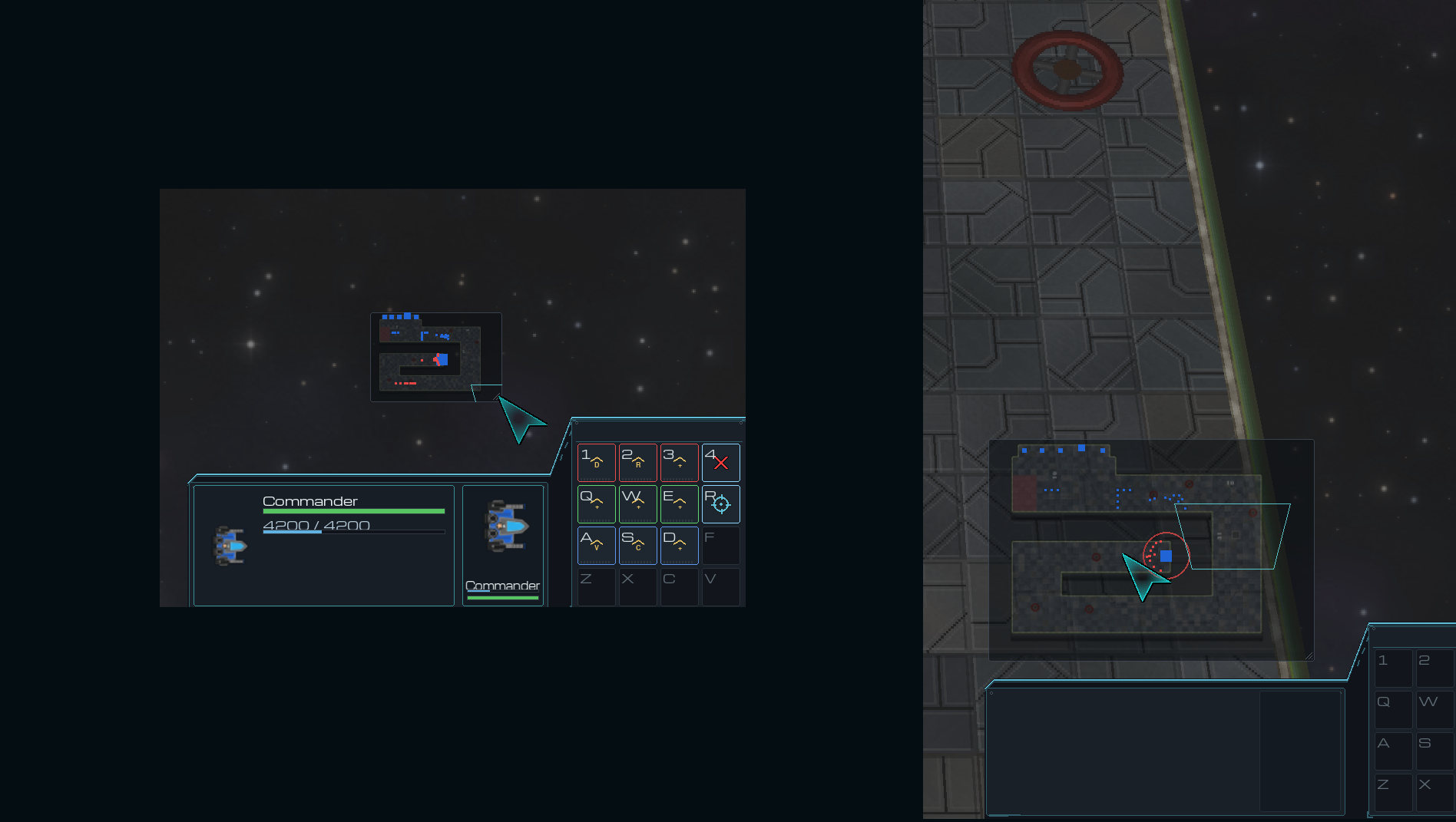
Alt+drag the bottom-right corner to resize it.
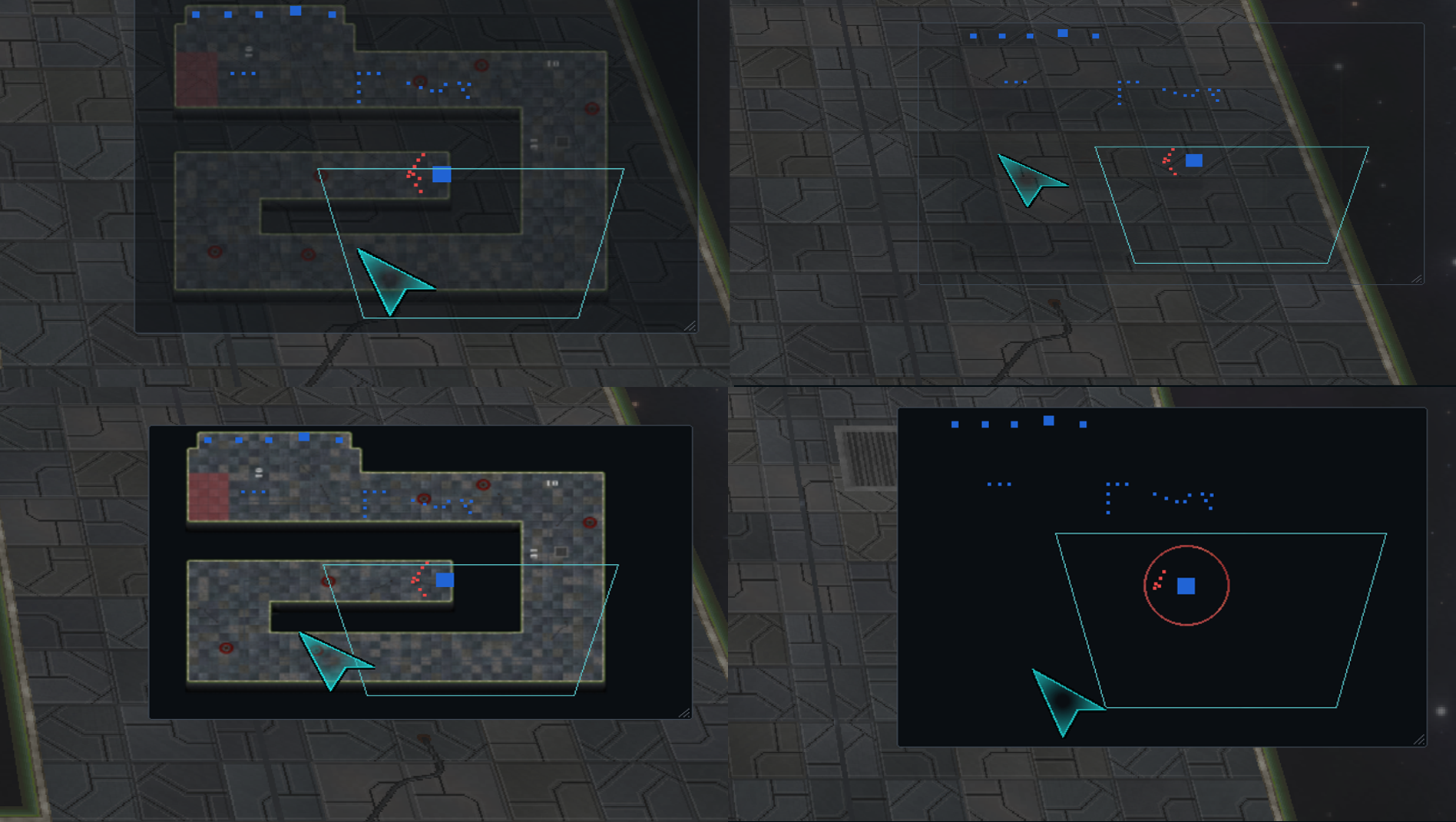
Alt+wheel fades it; Alt+RMB drops the terrain.

Scale, opacity and position are remembered. Settings › Minimap has the same controls and a Reset.

Reading the Screen
The top plate is Synaptic Shards, Flux Reactant and Commander Authority.
The line beneath it is the wave timer, and a hint for whatever you are currently doing.
The small stat button under the plate opens the live scoreboard — step it to rank every commander by kills, income, losses or army size.
Leave that button on Auto and it cycles the stats for you, naming whichever one is on show.
Health bars, rally flags and order pings are drawn out in the world, in your army's colour.
A red ring and a warning line mean something of yours is being attacked. SPACE takes you there.
Multiplayer
Host Game puts a room on your network and tries to open the door for friends outside it.
Join Game finds rooms nearby by itself, and takes a typed address for a friend further away.
Online connects to a community server: a chat lobby and a list of games you can drop into.
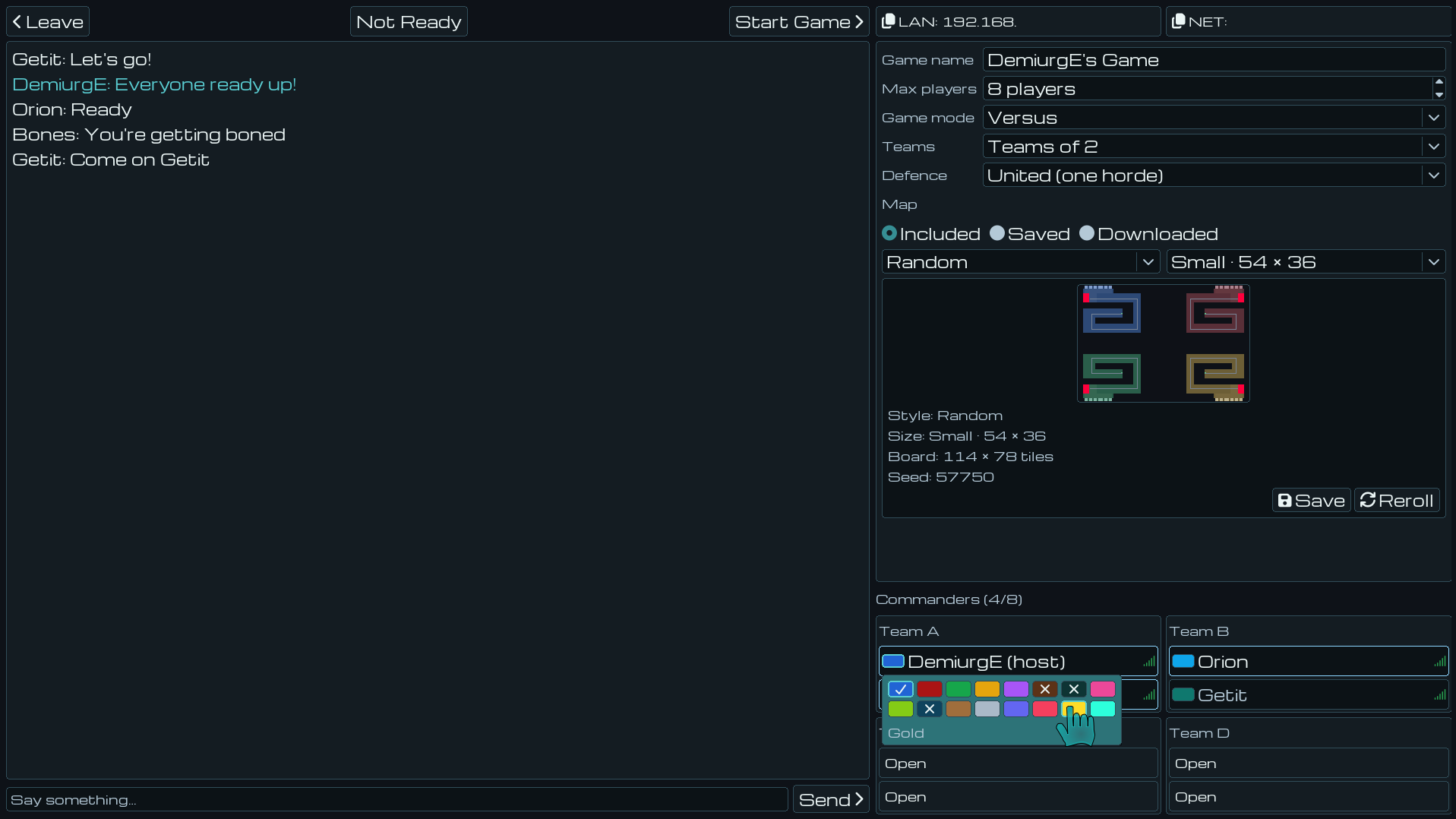
Everything about the room is the host's: mode, player count, teams, map style, map size and the map seed.
The board in the lobby preview IS the board you will play. Reroll the seed until you like the look of it.
Save a board you enjoyed to your own library and load it into any room you host later. Saving is everyone's; loading is the host's.
Pick your army colour on your own player row — first come, first served.
Chat with RETURN. RMB a player to mute, ignore, kick or ban them.
If somebody drops, the match pauses. R votes to carry on without them.
The room: chat on the left, settings and the live map preview on the right.

Co-op — Everyone against the horde. You share the upgrades and the life of the match; you each earn from your own kills.

Versus — Teams against each other, each defending their own ground while the horde keeps coming for everybody.

United — The team defends one shared arena together, and the horde grows to match how many of you there are.

Dedicated — Every commander gets their own lane and their own shops, all funnelling into one Commander the team shares. Every lane is exactly as hard as playing alone.

Versus and the Enforcer
The Enforcer is a Versus-only building. Its card sends units from your own roster into an opponent's next wave.
A sent unit fights in your colour — so an attack reads as a person, not as the wave getting bigger.
Whoever kills it is paid what you spent on it.
Every send button holds its own cooldown, so you can fire the whole row back to back.
RMB a send button to leave it on auto.
Killing a rival Commander pays your own team and every other team — so ganging up on whoever is ahead is actually worth doing.
Accessibility and Options
Every key and mouse button is rebindable, and each action holds two bindings so both hands can reach it.
Left-handed? One switch swaps the mouse buttons everywhere, menus included.
Colour Vision Preference recolours every army to a palette you can tell apart, and prints player numbers on the colour chips as well.
Captions writes out every spoken line over whoever said it — including lines from off-screen, parked at the edge pointing the way.
Camera sensitivity, per-axis drag inversion, and edge panning are all yours to set.
Lighting, reflections and the perspective tilt each switch off separately if you would rather have the frames.
Auto-Detect benchmarks your machine and picks a resolution it can actually drive.
In-game control hints can be turned off once you know them.
Shortcuts Worth Knowing
RMB-drag on the map, or on the minimap, spreads a line formation.
Double-click a unit to grab every one of that type on screen.
RMB the Skip button to skip every countdown automatically.
RMB an ability button for auto-cast; RMB a send button for auto-send.
Alt+drag the minimap to move it, its corner to resize it, Alt+wheel to fade it, and Alt+RMB to hide the terrain.
Press a control-group key twice to jump the camera to that group.
SPACE is one key doing three jobs, in order: go to the fight, frame the selection, skip the wait.
ESCAPE backs out one layer at a time — aiming first, then the selection, then the menu.
Middle-mouse drag pans; let go where you started and the view is exactly where it was.

Download

Download NowName your own price

Click download now to get access to the following files:

Singleplayer 404 MB
Version 0.3.2
Full Version (Includes Singleplayer) 404 MB
if you pay $9.99 USD or more
Version 0.3.2
Backers (Standalone Dedicated Server -- GAME NOT INCLUDED) 16 MB
if you pay $10 USD or more
Version 0.3.2

Development log

Leave a comment

Log in with itch.io to leave a comment.